Raid ToolsOne window for the raid leader
Everything a raid leader keeps needing, in a single window: filling the group, checking specs and buffs, running loot, and answering the same whispers.
Raid Tools replaces the pile of small addons a raid leader usually runs. It combines a BiS announcer, roll management, master looter tools, auto invite, an LFM spammer, auto reply, main spec collection and a browser for other people's raid posts, all behind one status bar.
- Version
- 2.1 beta 1
- Game
- WotLK 3.3.5a (Interface 30300)
- Folders
- RNTools + GearScoreLite
- Opens with
- /rnt or /rntools
- Skin
- ElvUI compatible
- Cost
- Free
- Download
- 4.5 MB zip
What Raid Tools does
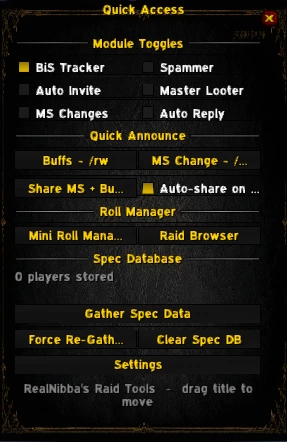
Raid Tools is organised as one main window with a tab for each job, a floating status bar that shows what is running, and a small Quick Access panel for the actions you need mid-raid. Every module can be switched off if you do not need it, and switched-off modules disappear from the window and the bar, so a lean setup stays lean.
It is aimed at whoever runs the raid: the person who has to fill the group, confirm everyone's spec, hand out buffs and manage loot, and who would rather do that from one place than from six addons with six different windows. Members who are not leading still benefit, because the roll manager works passively and the browser helps them find groups.
The modules, one by one
BiS Tracker and the /rw announcer
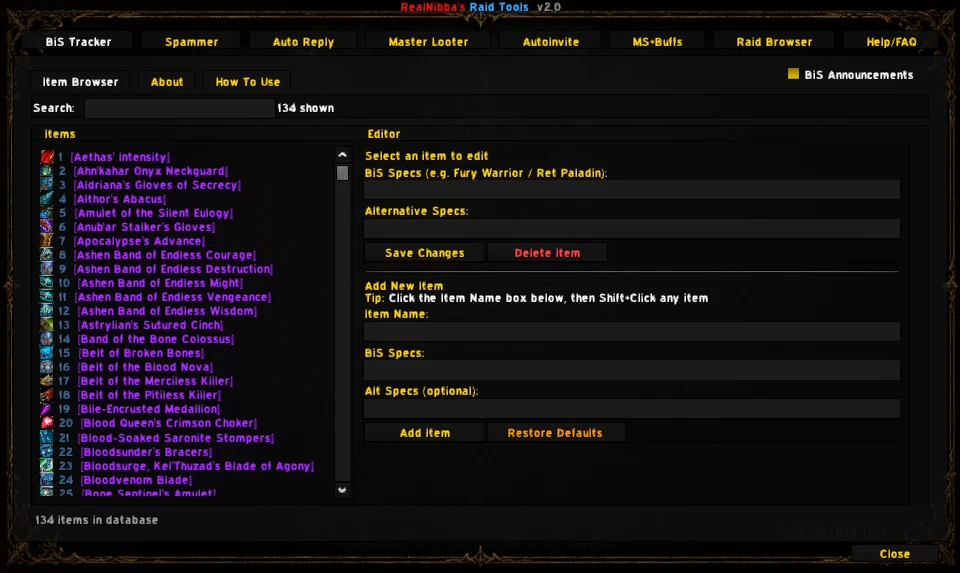
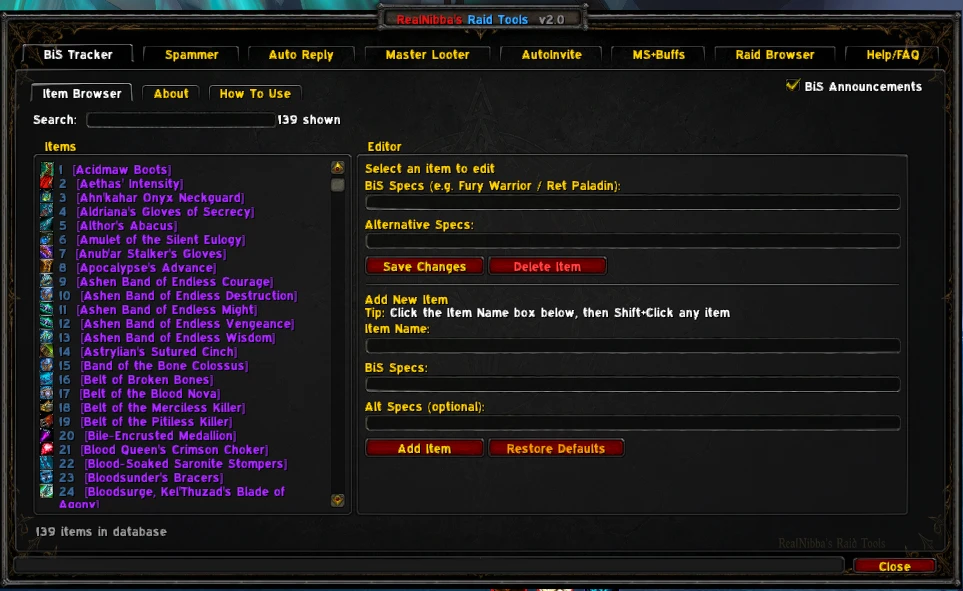
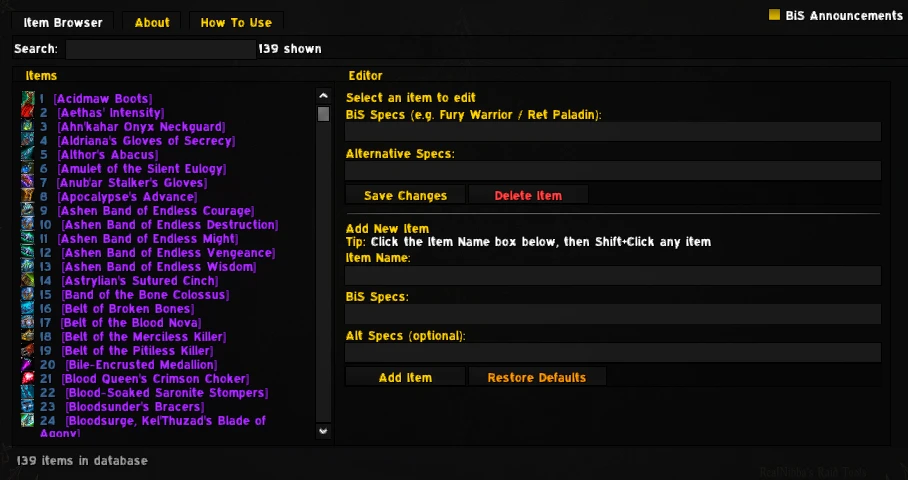
Officers type /rw [Item] and the addon announces which spec the item is best in slot for. To avoid the same call appearing several times when more than one person runs the addon, only one announcement per item is made every fifteen seconds. The item database is editable in the tab, so your raid's own priorities can be added.
Roll Manager and Master Looter
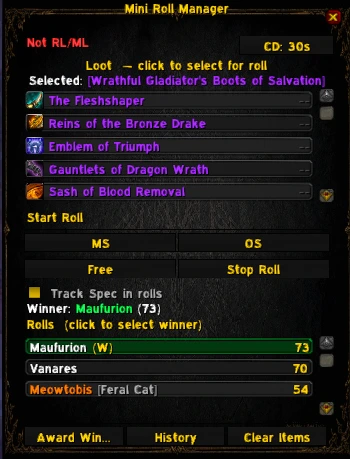
Roll Manager runs structured rolls for the raid leader or master looter and also works passively for everyone else by reading rolls from raid chat. A roll from a spec that does not match the item is coloured red as an advisory, not blocked. Master Looter assigns the master looter role in one click for a leader or assistant and includes a loot tracker that whispers a chosen collector about every bind-on-pickup and bind-on-equip drop, so nothing is lost when a boss dies and everybody starts moving.
MS Changes and Buff Order
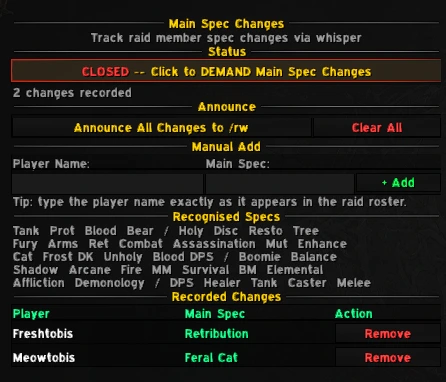
Click Demand and the raid is asked to whisper their main spec. Players who answer with a spec that is not valid for their class get an automatic reply listing the valid ones, and Close locks the result. Share MS + Buffs then sends the finished list to every assistant, leader and master looter. Buff Order assigns Greater Blessings to your paladins and fills itself from actually inspected specs, not from what people say. A Gather All Specs button inspects the whole raid one by one and can even tell a Feral bear tank from a Feral cat by their real talents.
Auto Reply, AutoInvite and Spammer
Auto Reply answers whispers such as ?help, ?commands and ?bis followed by an item. AutoInvite invites anyone who whispers one of up to five keywords you set, either as an exact match or when the keyword appears anywhere in the message. The Spammer posts a recurring LFM message to several channels, with a raid builder that helps write the message for Icecrown Citadel, Ruby Sanctum, Trial of the Crusader and Ulduar raids and their achievements. It respects safe intervals (General 31 seconds, Trade 23, World 71, Yell 41) so nobody gets muted.
Raid Browser
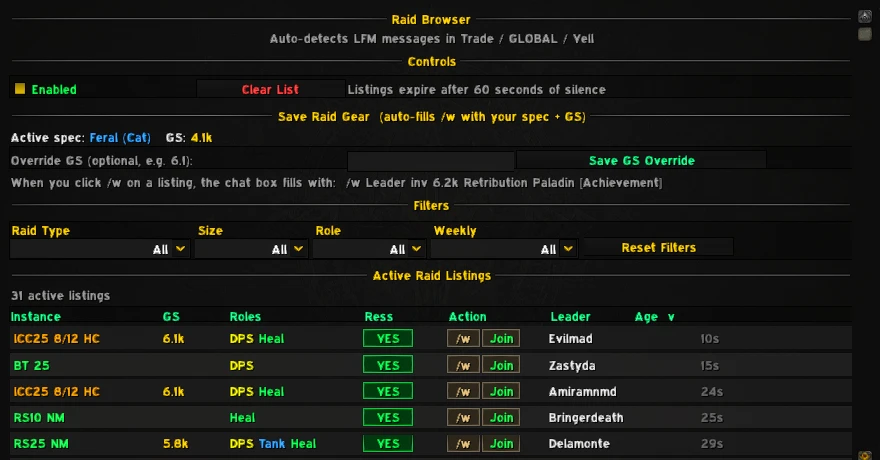
The Raid Browser detects LFM posts in Trade, General, World and Yell and lists them with the instance, GearScore requirement, roles wanted, reserved items, leader and how long ago the post appeared. Columns can be sorted with a click, and a whisper button fills in your spec, GearScore and the relevant achievement for you. It also shows whether you are saved to the instance.
Installing Raid Tools
- DownloadGet raidtools.zip from the button on this page. It contains
RNTools, the addon itself, andGearScoreLite, which the Raid Browser needs for its GearScore column. - ExtractClose the game and extract both folders into
Interface\AddOns. If you already run another GearScore addon, use the bundled one to avoid conflicts. - Log inType
/rnt. On the first run a setup wizard opens.
Raid Tools is a beta release (2.1 beta 1), which means it is already used in real raids but some screens are still being polished. Bug reports are welcome on the Discord.
The setup wizard
The wizard walks through the choices in a few short pages: your role, which modules to enable (disabled modules do not run and do not appear in the window or the bar), the roll countdown (20 seconds is suggested, and Off lets you close rolls by hand), the interval between spam messages per channel, the keywords that trigger auto invite, and the UI scale. You can copy a profile from another character when one is available. Finishing reloads the interface so everything applies at once. Re-run it whenever you like with /rnt setup.

Commands and the status bar
| Command | What it does |
|---|---|
/rnt | Open or close the main window (also /rntools). |
/rnt config | Open the settings. |
/rnt qa | Toggle the Quick Access panel. |
/rnt miniml | Toggle the standalone Mini Roll Manager. |
/rnt overlay | Show or hide the floating status bar. |
/rnt scale 1.25 | Set the interface scale (0.25 to 3.0). |
/rnt setup | Run the setup wizard again. |
/rnt reload | Reload the BiS database. |
/rnt help | Print every command in chat. |
The status bar shows one coloured pill per module: BT, SPAM, AR, ML, AI, MS and RB. Green means enabled, red means disabled, and a left-click toggles the module without opening the window. Right-click the bar to open the main window.
ElvUI, GearScoreLite and profiles
Raid Tools works with ElvUI without any setup: ElvUI skins its frames automatically. If you prefer the addon's own dark backdrop, turn off ElvUI's Ace3 skin, either globally or for this addon only. GearScoreLite ships in the same download because the Raid Browser reads GearScore through it, and a second GearScore addon running alongside can cause display quirks. Settings can be copied, exported and imported as profiles under Config, which is the quickest way to set up an alt that leads raids.
Tips and troubleshooting
- Do not keep the big window open all raid. The status bar is enough for most things during a pull.
- MS Changes says you need a rank. Demanding spec changes and announcing them needs Raid Leader or Assist rank.
- Invalid spec replies. They are automatic and only list what is valid for that player's class.
- Auto invite does nothing. Check the keyword list and whether the module is switched on in the status bar.
Raid Tools FAQ
QDo I have to be the raid leader to use it?
No. Roll Manager and Raid Browser are useful to any raider, and the BiS announcer works with officers. Some actions, such as master looter assignment and spec demands, need leader or assistant rank.
QWhich modules can I turn off?
All of them. The setup wizard lets you disable what you do not need, and disabled modules vanish from the window and status bar.
QWill the spammer get me muted?
It is limited to safe posting intervals for each channel (General 31 seconds, Trade 23, World 71, Yell 41), so it cannot post faster than that.
QWhy is there a GearScoreLite folder?
The Raid Browser shows GearScore next to each listing and reads it through GearScoreLite.
QIs it stable?
It is a beta (2.1 beta 1). It is used in real raids, but some screens are still being refined, so keep an eye on the changelog.
Get Raid Tools
raidtools.zip · 4.5 MB · version 2.1-beta1 · free
Contains RNTools and GearScoreLite. Extract into your Interface\AddOns folder as described in the install section, then reload the game.
The rest of the lineup
See all five addons. Running more than one? The addon suite setup guide covers the folder layout and the two shared dependencies.